![Slasify_Logo_Black 1.svg]](https://support.slasify.com/hubfs/Slasify_Logo_Black%201.svg)
-
Header > Click “Login”, log in your Slasify account and enter remote office

-
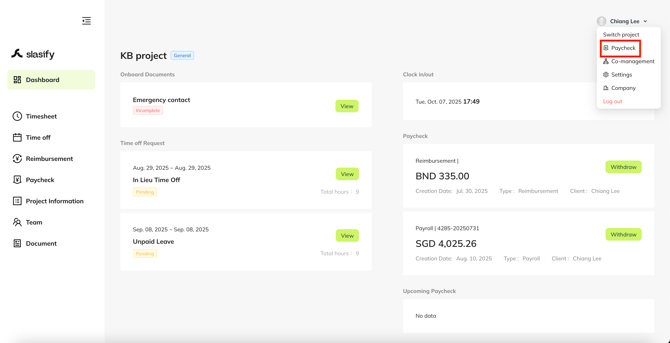
Select “Paycheck” in dropdown menu
-
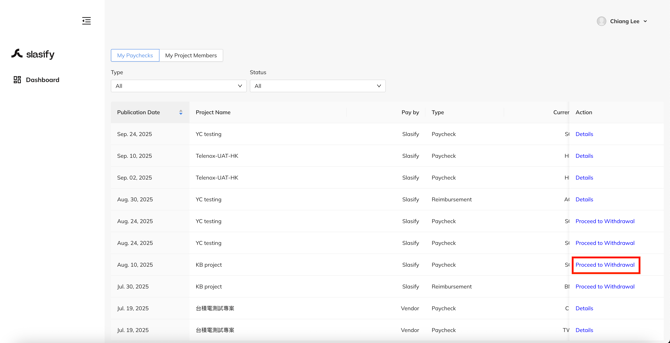
Select the payment you would like to withdraw by clicking on the "Proceed to withdrawal"
-
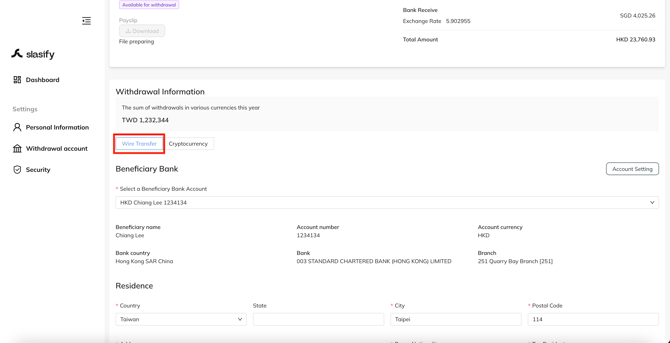
Select “Wire Transfer” as the withdrawal method for this transaction.
-
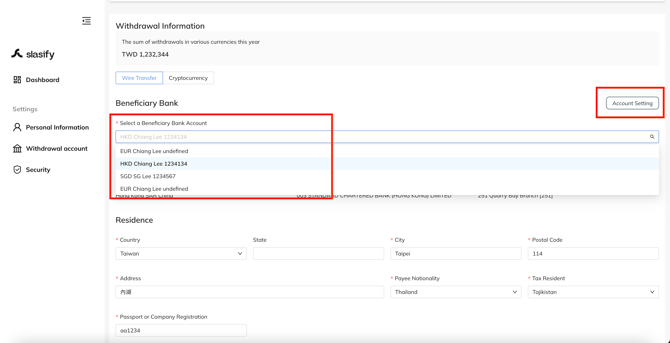
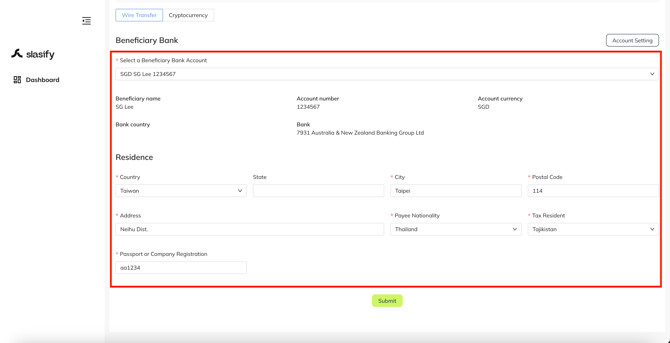
Select your beneficiary bank account from the drop-down menu
-
If you haven’t set any withdraw account, you won’t see any selection on the drop-down menu. Please click “Account setting” and complete at least one account’s setting.
-
-
fill up all the required information, and click "Submit"
-
Your payment will be credited into your account within 7 business days.
If you have any questions, please contact your Account Manager or Business Development Manager. You can also contact us via the following email: hi@slasify.com
Thank you & stay well
Slasify Team
Last Updated: 2025.11.28 (v1.102.0)