![Slasify_Logo_Black 1.svg]](https://support.slasify.com/hubfs/Slasify_Logo_Black%201.svg)
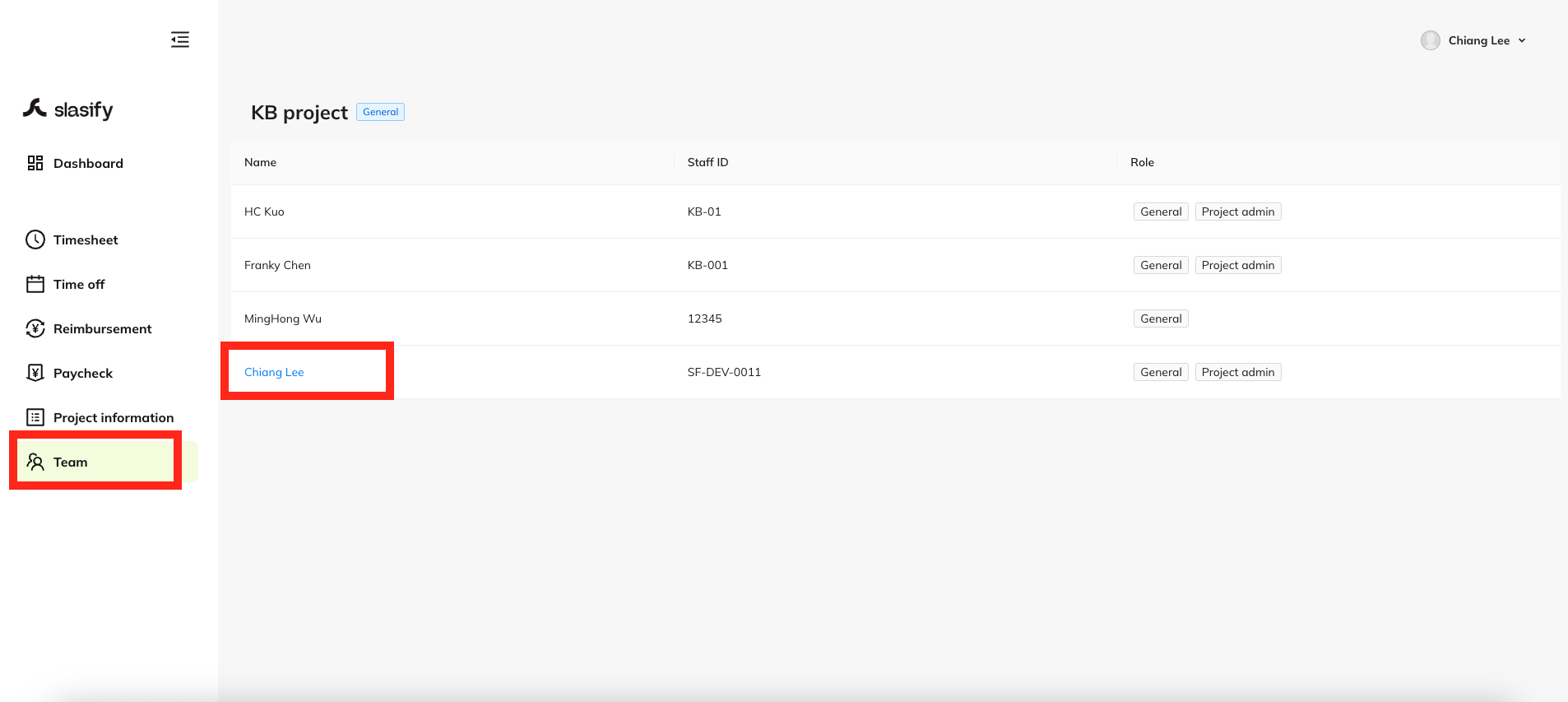
Step 1: Access the "Team" Section
- After logging into the Remote Office platform, locate the left sidebar menu.
- Click on "Team".
- In the team member list, click your own name to proceed.
Step 2: Navigate to Personal Information
-
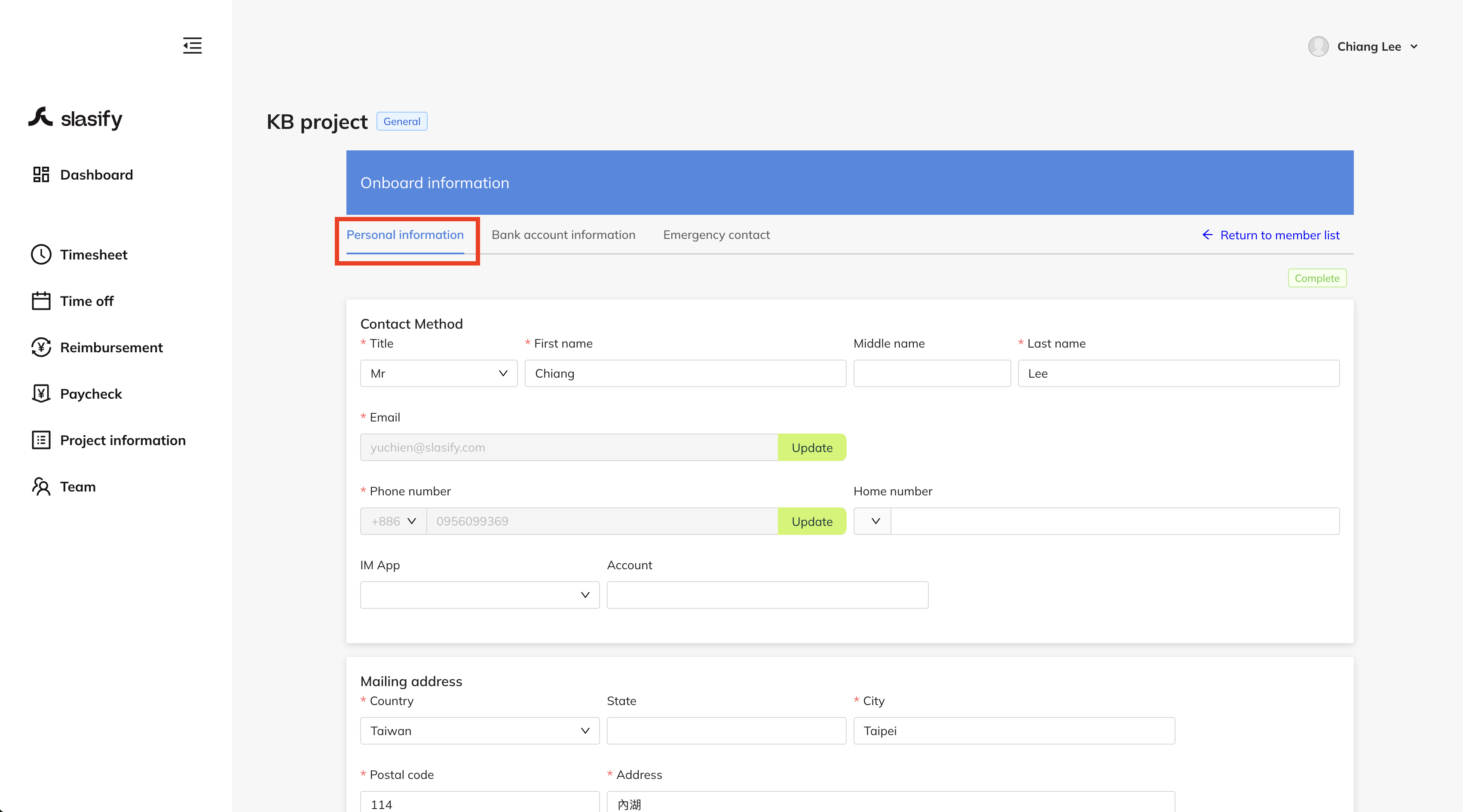
Once inside your profile, you’ll be directed to the "Onboard information" section.
-
Click the "Personal information" tab at the top.
Step 3: Fill in Address Information
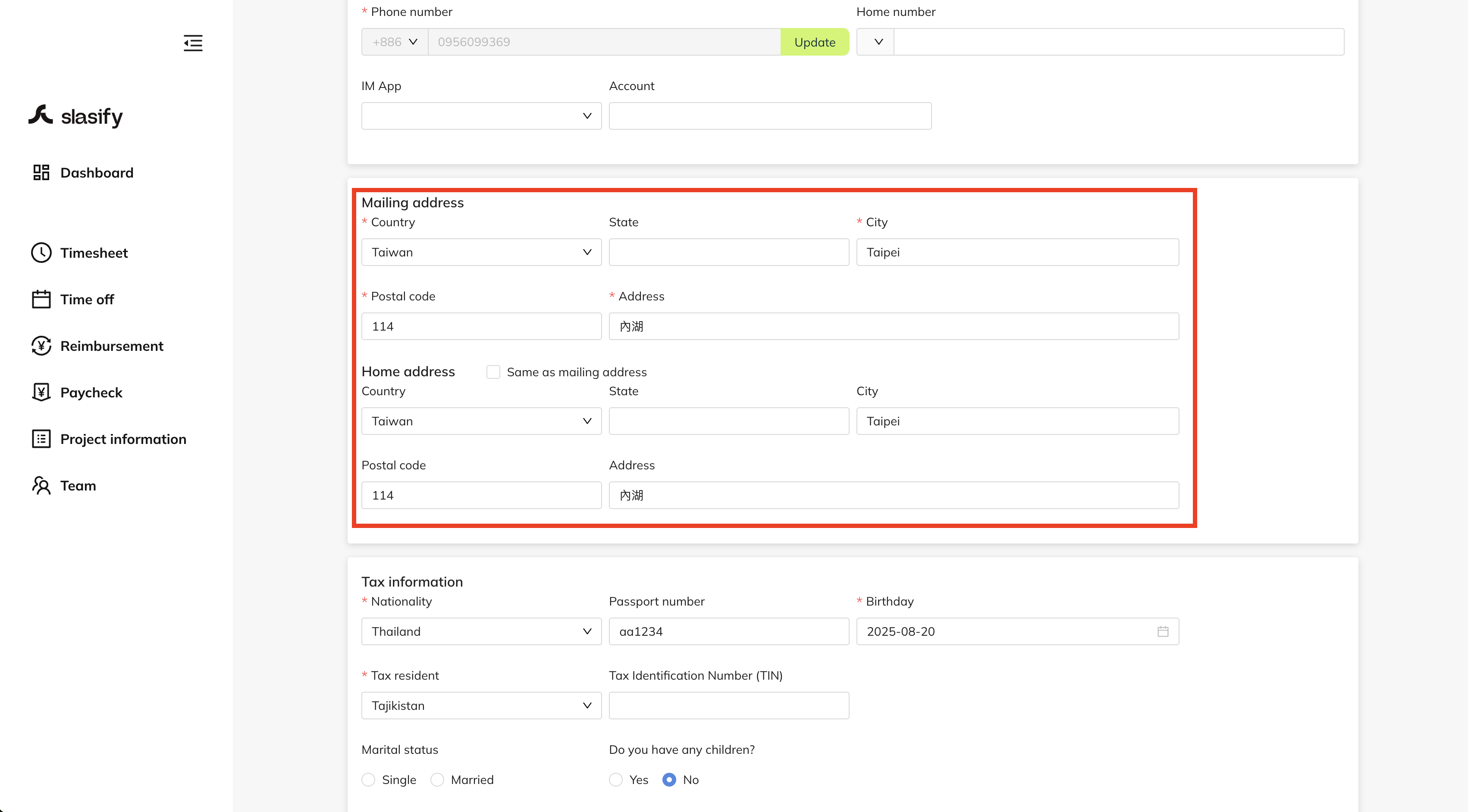
- Scroll down to the "Mailing address" and "Home address" sections.
- Complete all the required fields, including:
- Country
- State
- City
- Postal code
- Address
You can click “Same as mailing address” if your home address is the same.
Step 4: Save Your Changes
-
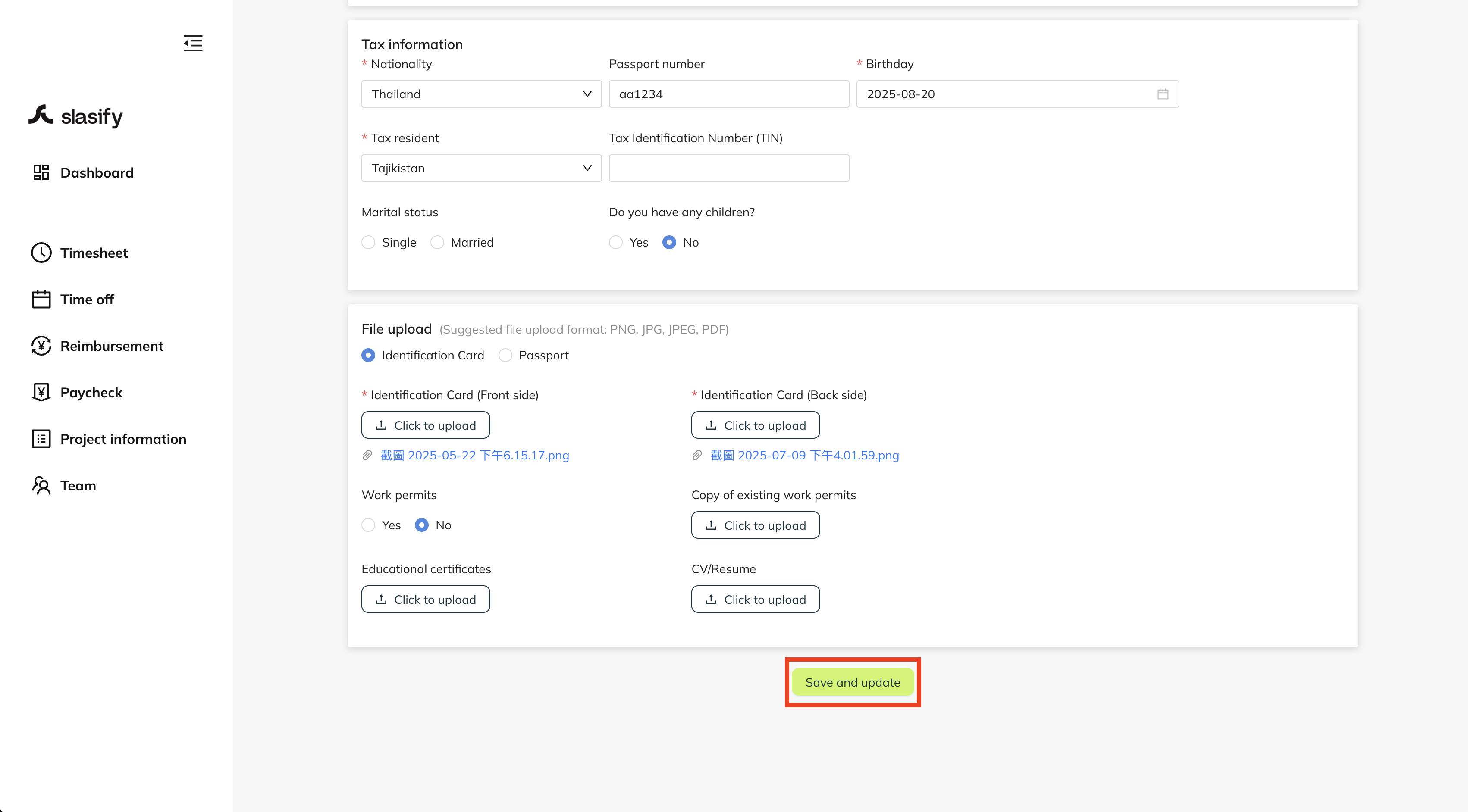
After filling out the address fields, scroll to the bottom of the page.
-
Click the “Save and update” button to complete the update.
Thank you & stay well
Slasify Team
Last Updated: 2025.09.12 (v1.97.0)